
In today’s connected world, notifications from phones, computers, and apps can easily interrupt our day. Whether you’re working, spending time with family, or simply relaxing, constant alerts can break your focus and add unnecessary stress. Setting boundaries with notifications is an effective way to reclaim your time and attention.
In this post, we’ll explore practical tips on managing notifications to help you balance staying informed without feeling overwhelmed.
Why Setting Boundaries with Notifications Matters
Notifications are designed to capture your attention, often immediately. While some alerts are important, many are not urgent or relevant to your immediate tasks. Over time, frequent interruptions can:
– Reduce productivity by breaking concentration
– Increase stress and anxiety levels
– Impact the quality of personal time
– Make it harder to focus on deep work or creative tasks
By setting clear boundaries, you take control of when and how notifications appear, improving your digital wellbeing.
Identify Your Notification Priorities
Before adjusting how you receive alerts, it’s essential to clarify which notifications truly matter to you.
– Work-related: Important project updates, emails from key contacts, calendar reminders
– Personal: Family messages, urgent health or safety alerts
– Social: Social media likes, comments, app promotions
Make a list ranking notifications by importance. This helps you decide which alerts to keep active and which to silence or limit.
Tips to Set Boundaries with Notifications
1. Customize Notification Settings
Most devices and apps allow you to tailor notification preferences.
– Turn off non-essential notifications: Disable alerts from apps that aren’t time-sensitive or important.
– Adjust alert types: Use badges or banners instead of sound alerts for less urgent apps.
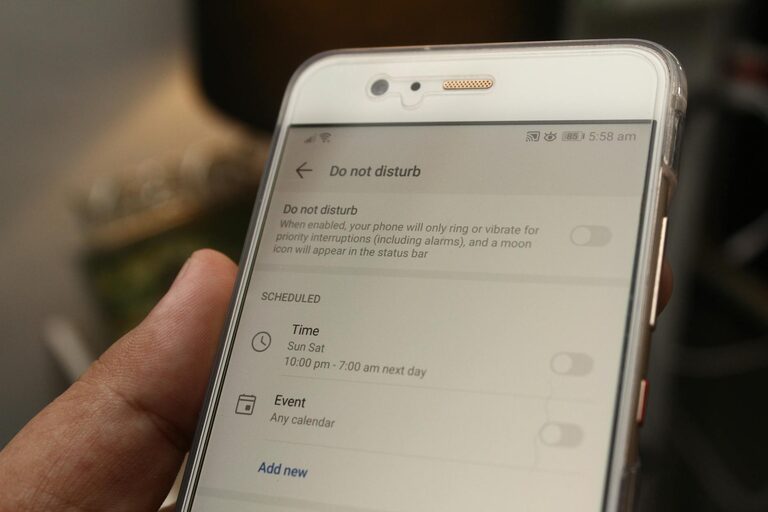
– Schedule “Do Not Disturb” modes: Set specific times, like during work hours or nighttime, when notifications are muted automatically.
2. Use Focus or Priority Modes
Many smartphones offer a “Focus” or “Priority” mode to limit distractions.
– Allow only certain contacts or apps: Create a custom list for urgent notifications.
– Automatic activation: Configure modes to turn on during meetings or work sessions.
– Sync across devices: Ensure your notification limits apply consistently on your phone, laptop, and tablet.
3. Limit Social Media Interruptions
Social media is a common source of distraction.
– Reduce push notifications: Turn off non-essential alerts like likes or follower updates.
– Set time limits: Many apps have built-in tools to restrict daily use.
– Check apps intentionally: Open social media to catch up instead of responding to every alert.
4. Batch Your Notification Check-ins
Instead of responding immediately, set designated times to review notifications.
– Schedule regular breaks: For example, check emails and messages every 60 or 90 minutes.
– Use timers or reminders: These can prompt you to look at notifications at planned intervals.
– Avoid multitasking: Focus on one task at a time to preserve concentration.
5. Manage Email Notifications Smartly
Emails can quickly become overwhelming.
– Filter and prioritize: Use rules to categorize messages into folders or mark important senders.
– Turn off desktop/email client alerts: Rely on scheduled checks instead of instant notifications.
– Unsubscribe from unwanted lists: Reduce clutter by removing newsletters or promotional emails you don’t read.
6. Communicate Your Preferences
If you work with teams or family members, share your notification preferences.
– Let colleagues know your availability windows and preferred contact methods.
– Use messaging app statuses to indicate when you prefer not to be disturbed.
– Set expectations around response times to reduce pressure for instant replies.
7. Use Silent and Vibrate Modes Wisely
Keep your device accessible without excessive noise.
– Keep notifications on silent or vibrate during meetings or focused work.
– Review notifications later instead of reacting right away.
Benefits of Setting Notification Boundaries
Establishing notification boundaries leads to:
– Improved concentration and effectiveness in tasks
– Reduced stress related to constant digital interruptions
– Clearer separation between work and personal time
– Greater mindfulness and intentional use of technology
Final Thoughts
Notifications aren’t going away, but how you manage them makes a big difference. By setting thoughtful boundaries around alerts, you can regain control over your focus and enjoy a healthier digital balance.
Experiment with the tips above to find what works best for your routine. Over time, these small adjustments can have a powerful impact on your productivity and wellbeing.
—
Feel free to share your own strategies for managing notifications in the comments below! What methods have helped you stay focused in a busy digital world?